Scene Settings
Scenes are a new approach in ATraqII allowing for the operator to go through only the relevant information to speed the evaluation process.
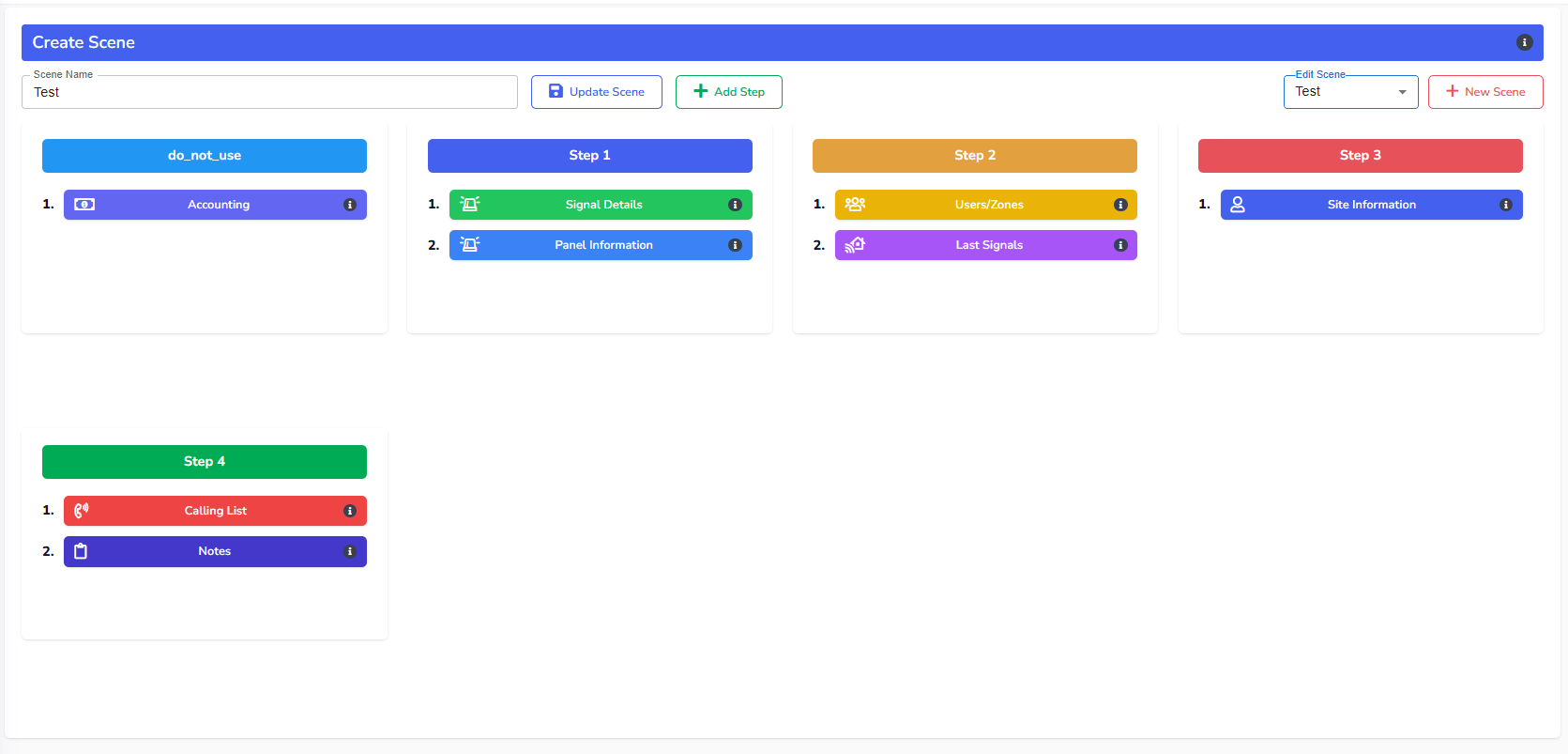
There are 4 steps as a default. You can add the number of steps if it is needed. But according to our experience, 4 steps should be satisfactory.
Now click, drag and drop the scene item that is by default under Do Not Use to the step of your choice. Don’t forget that you can always change the order by moving the scene item up or down the list within the step. Once you are happy with the scene, type in a name for this scene and click on save.
You can always edit the scenes by clicking on the Edit Scene pull-down and choosing the scene you wish to edit. Once you have updated the scene, click on the Update Scene button and it will be stored accordingly.
As you will be adding these scenes to the Signal Types later on, it’s recommended that you create these scenes first.