Account types
The Account types are very similar to the Account settings in ATraq Desktop. However, there are a few changes that have been requested by most of you in the past that we have now implemented into the new Account Types settings.
Account Types is one of ATraq’s greatest success stories. It has been the pinnacle of what divides large companies and small businesses. We have always been an advocate of the idea of selling services as opposed to selling systems. Having a perfect Account Types package for your customers is the best way to ensure long term success in subscription services.
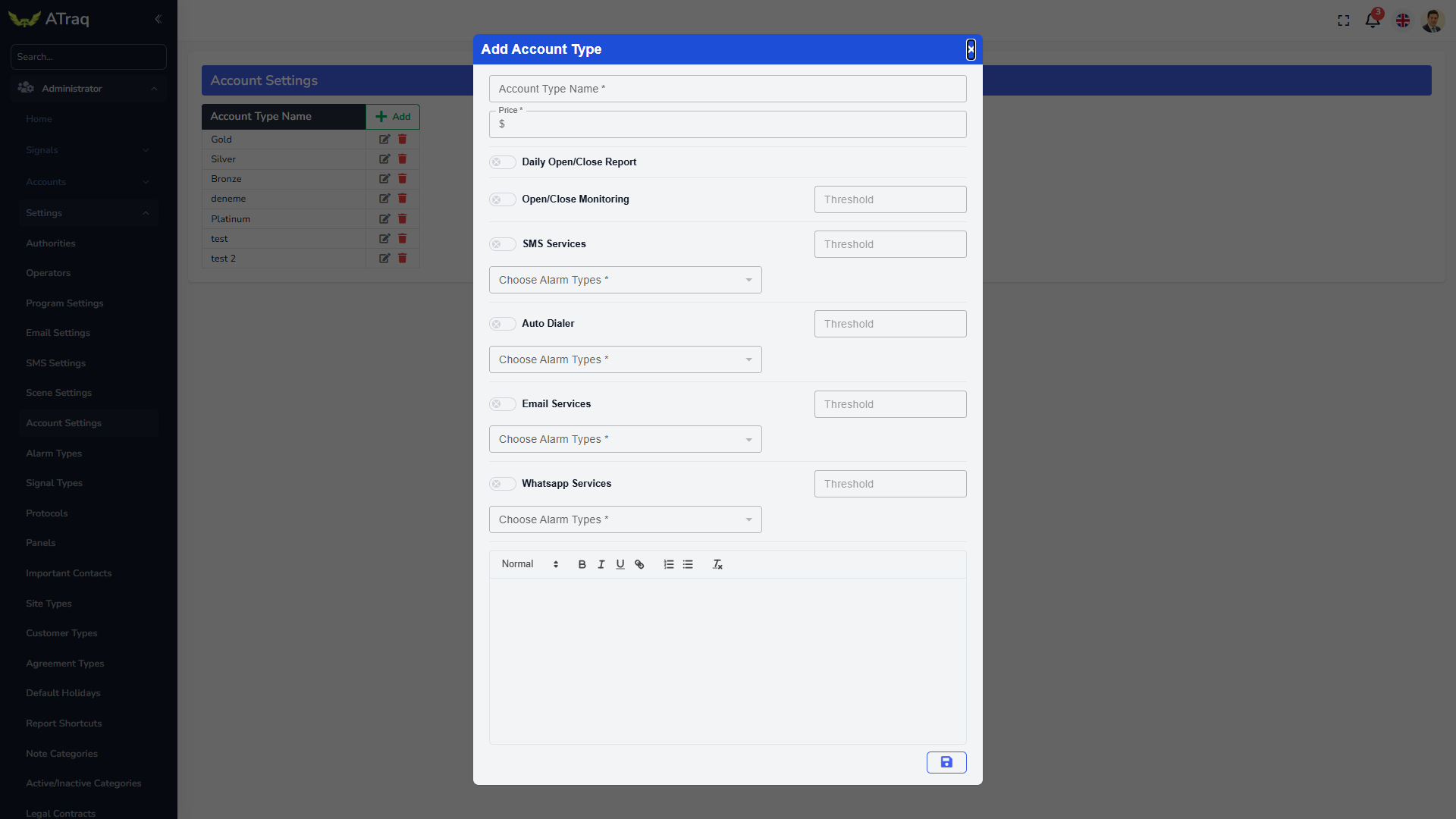
Again we have the Account Type Name, the price, Open/Close monitoring and Daily Open/Close reporting. Open/Close Monitoring now comes with a threshold. This means that you can limit the number of early/late open/close alarms you receive in a month. All thresholds in the Account Type window are subject to monthly time frames.
We now have all the services in the Account Types to be limited and controlled individually.
If you would like for that account type to send SMS messages, activate it by clicking on the slider, choose for which alarm types you would like for the SMS messages to be sent through and the threshold for this account type. So you could say that you will send only 100 SMS messages to a customer using this Account Type per month.
Now do the same for AutoDialler (the system that sends verbal messages to your subscribers through your compatible switchboard), Email Gateway and WhatsApp services.
Last but not least, type in a description of this service that will be seen in the quotation given to the customer so they understand what type of service they will be getting and any limitations. Click on the Save icon to finish the Account Type.