Customer types
The customer types is new in ATraqII. The purpose for this type of detail is because we need to create a contact list of the important contacts in that customer. For marketing purposes, for accounting purposes, for technical reasons, we need to be able to contact the right person in charge. So by creating a Customer Type, we are able to add and remove the authorities accordingly.
For example, in a residential customer you would only have family members. You would like to know who the main point of contact is for accounting, marketing, system upgrades, etc. So you put in the titles accordingly. But in a business, you would need to have contact titles like Accounting, General Manager, Head of Operations, security guard, etc.
So you can now create a list of the contacts in the company to keep track of.
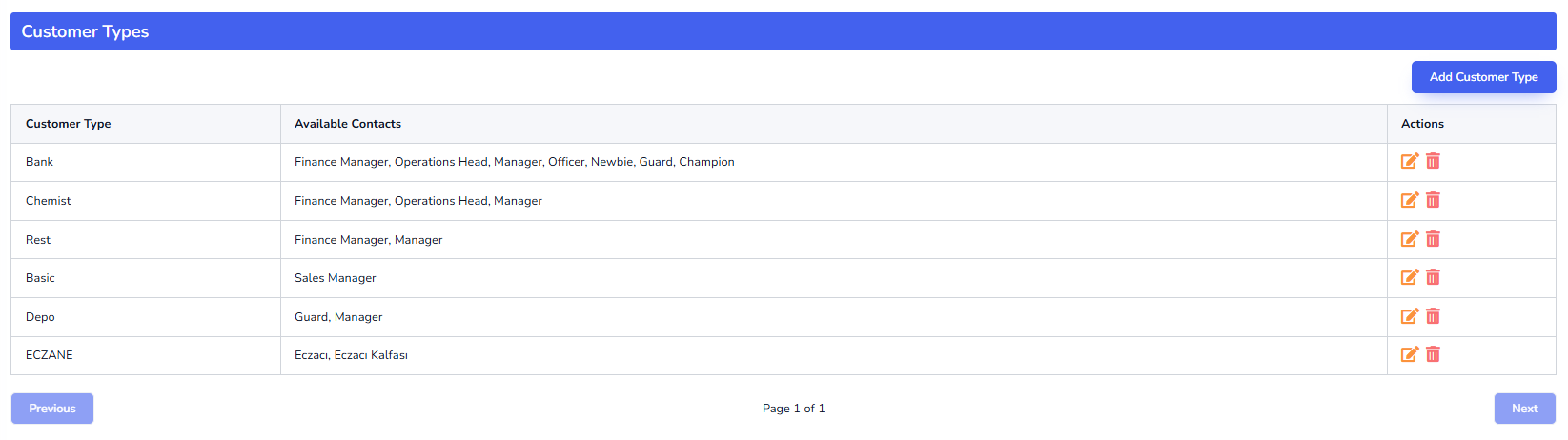
You can list an unlimited number of titles per customer type. In the customer screen, you will see these contact titles in the list of the customer.
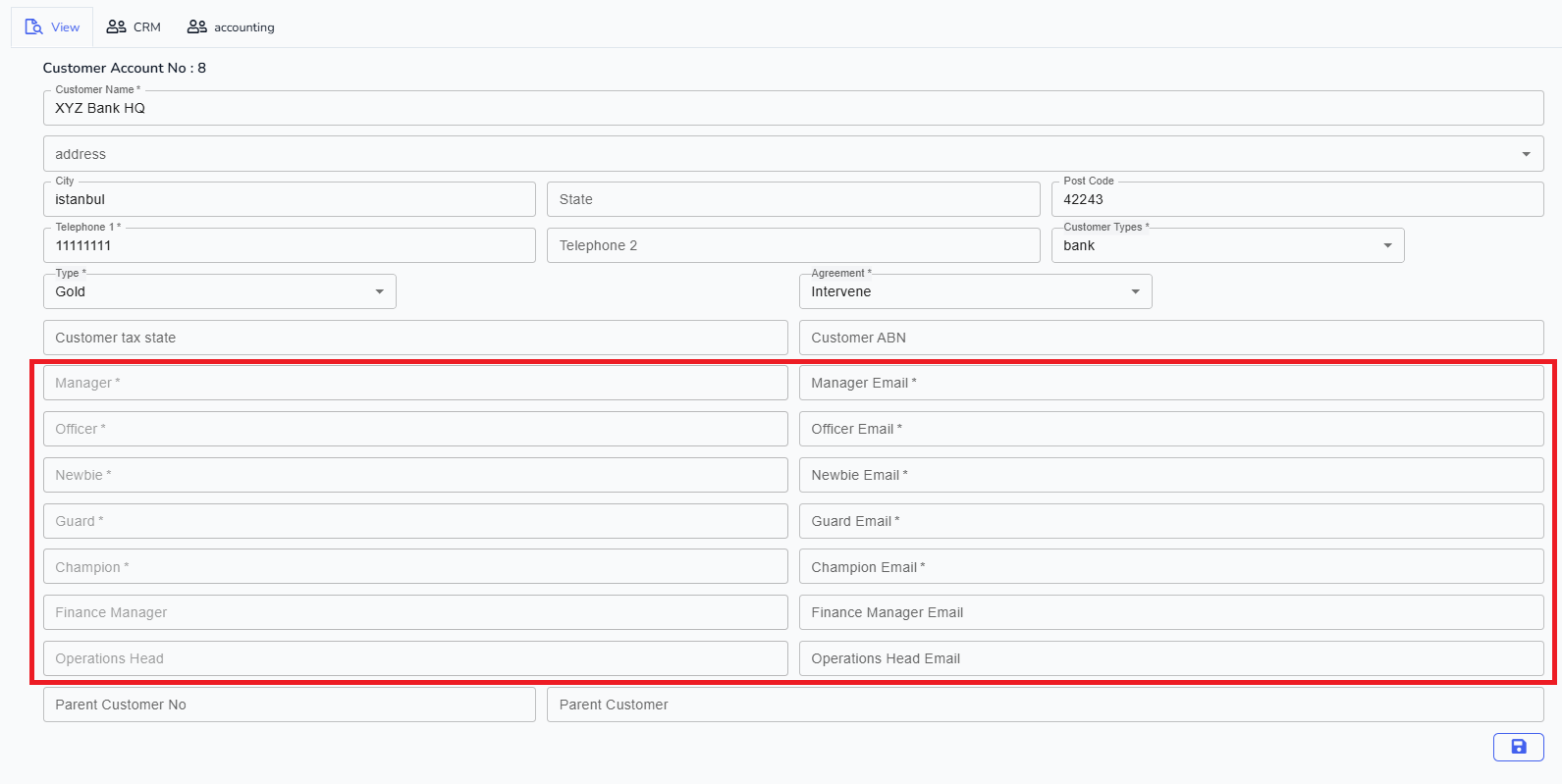
In the picture below of the customer page, You can see that the list of contact titles for that specific customer:
The way you create a Customer Type is click on Add the following pop-up comes up.
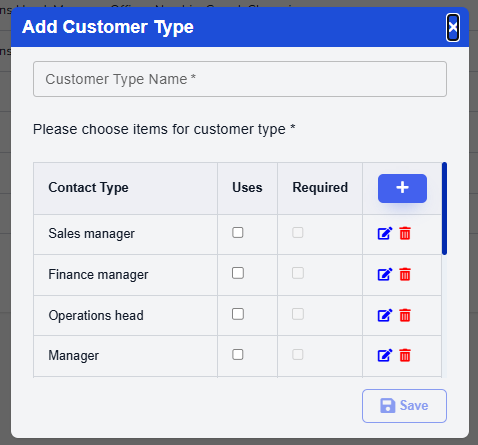
Type in the Customer Type name first. Then go and choose the positions you wish to be associated with that customer type. If the position is a required field (for example, if it’s a shopping center, you may want the security guard of the shopping centre to be a default), then just check the required box. If the Contact title is not in the list, you can add it by clicking on the “+” button.
Once all is now ok, just click on the save button and you should be able to choose that customer type in the customer page from now on.
You can always add a new Customer Type from within the Customers Account screen too. Sometimes you may need to add more contacts for that customer along the way.